
Laptop charging port repair cost in the UK: 2026 guide
- Aug 15
- 9 min read
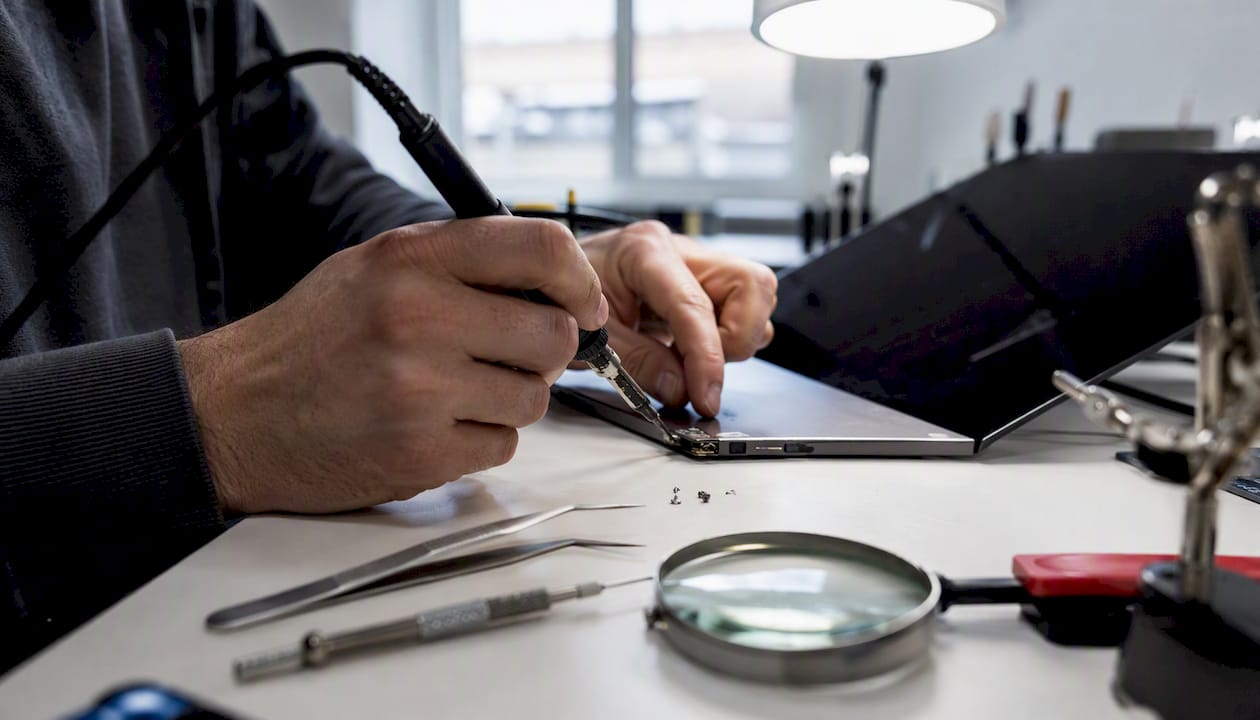
Fixing a laptop charging port in the UK typically costs a moderate amount, depending on the port type, the extent of the damage, and whether the repair requires board-level soldering. For most straightforward jobs — a loose DC barrel jack or a damaged USB-C port on a daughterboard, you can expect to pay in the lower half of that range. As a quick rule of thumb, repair is usually worth it if the total cost stays below 50% of what a comparable replacement laptop would cost you today.
Before you book anything, try one check first: swap in a different charger or cable. A substantial portion of reported charging-port faults turn out to be caused by a faulty charger rather than a damaged port, so swapping the charger or cable can often save a repair bill.
DC barrel jack (removable daughterboard): typically £50–£120 for a full repair
USB-C port (surface-mounted): typically £100–£250, depending on whether micro-soldering is needed
MacBook charging port replacement cost: MagSafe and USB-C variants sit at the higher end due to proprietary parts
Samsung or iPad charging port cost: varies by model; USB-C board swaps are usually mid-range
Rapidrepairsldn handles all of these in-shop, including board-level diagnostics for more complex faults.
Key takeaways
Point | Details |
Test the charger first | Around 40% of charging faults are caused by a faulty cable or charger, not the port itself. |
Expect £50–£250 for a full repair | DC jack swaps sit at the lower end; USB-C micro-soldering jobs sit at the higher end. |
Use the 50% rule | If the repair quote exceeds half the cost of a comparable replacement laptop, consider replacing instead. |
Ask the right warranty questions | Confirm the warranty covers both parts and labour for at least 90 days before agreeing to any repair. |
Rapidrepairsldn offers in-shop diagnostics | Board-level capability, transparent quotes, and a warranty on all repairs — book via the laptop repair page. |
Table of Contents
How is the total laptop charging port cost calculated?
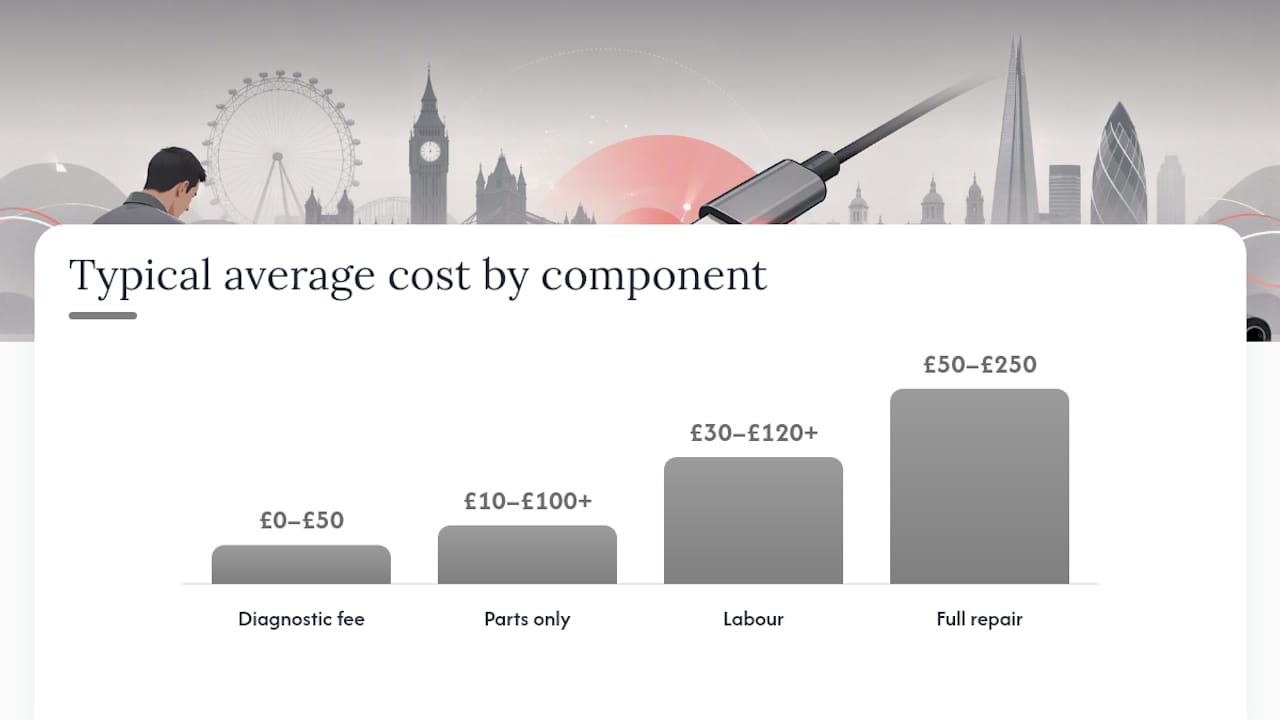
Every quote you receive should break down into four components. Understanding each one helps you spot where a shop might be padding the bill.
Cost component | Typical low | Typical average | Typical high |
Diagnostic fee | £0 (waived on repair) | £20 | £50 |
Parts only | £10–£20 | £30 | £100+ |
Labour | £30 | £50–£80 | £120+ |
Full repair (parts + labour) | £50 | £80–£120 | £250 |
Some shops quote inclusive of VAT; others add it at checkout. Always confirm which applies before you agree to a quote.
Diagnostic fees are common and reasonable. What matters is whether the shop refunds or waives the fee when you proceed with the repair. Most reputable shops do. If a shop charges a diagnostic fee and keeps it regardless of whether you go ahead, factor that into your total cost comparison.
Collection and delivery charges are an additional line item at some shops, typically £10–£20 each way. If you can drop the laptop off in person, you avoid this entirely.
Key things to confirm on any quote:
Is VAT included or excluded?
Is the diagnostic fee waived if you proceed?
Are parts sourced new, refurbished, or OEM-equivalent?
Does the quote cover labour for any secondary damage found during the repair?
What pushes the laptop power jack repair price up or down?
Two repairs described the same way — “charging port replacement” — can produce quotes that differ by £100 or more. Here is why.
Port type is the biggest single driver. A DC barrel jack on a removable daughterboard is a straightforward swap: the part is cheap, the labour is low-risk, and most competent repair shops can do it quickly. A USB-C port that is surface-mounted directly onto the motherboard is a different job entirely. It requires micro-soldering under magnification, specialist equipment, and a higher skill level. Shops that offer board-level work charge accordingly, and rightly so.
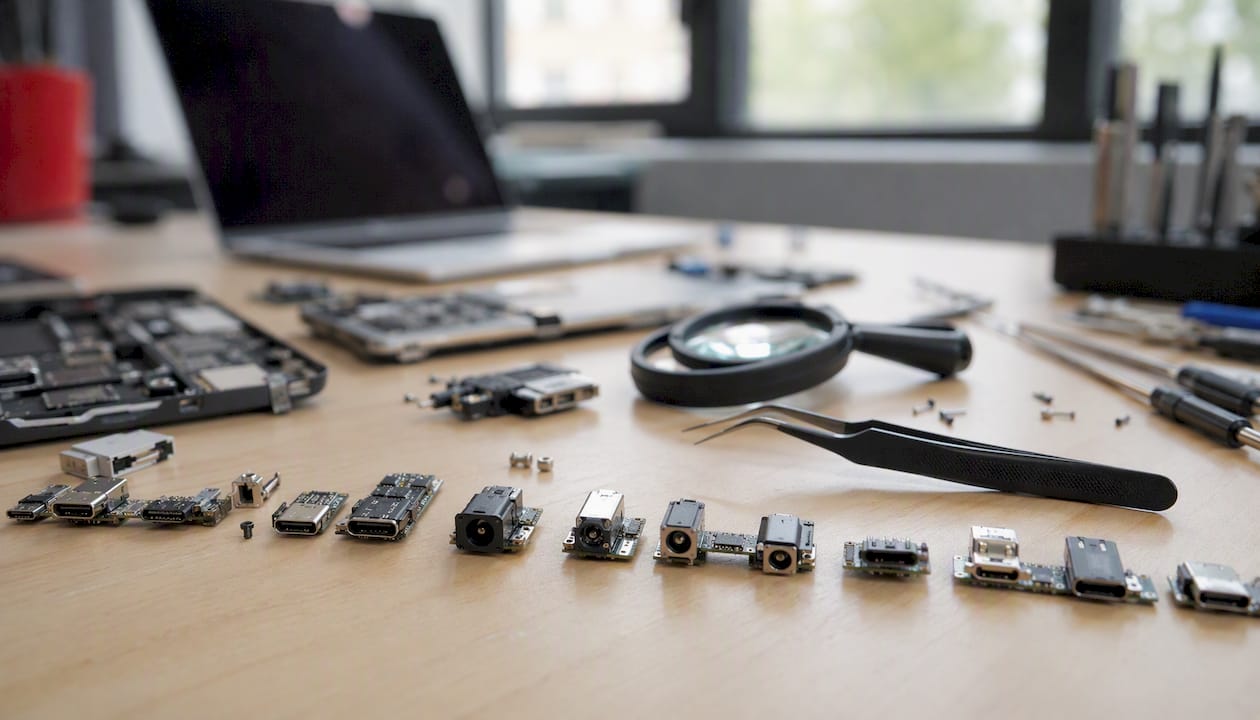
Model complexity matters too. A budget Windows laptop with a standard DC jack is simpler to work on than a MacBook Pro or a Dell XPS, where the chassis design, proprietary connectors, and parts availability all add cost. MacBook charging port replacement cost tends to be higher not just because of the MagSafe or USB-C connector itself, but because Apple’s parts supply chain is tighter and the labour is more involved.
Extent of damage affects price significantly. A port that has simply worked loose from its solder points is a cleaner fix than one where the connector has been forced in at an angle, bending or breaking traces on the board. Electrical damage from a power surge or water ingress can turn a £80 job into a £200+ board-level repair.
Secondary drivers include parts availability (older or less common models may need parts on backorder), whether the device is still under manufacturer warranty (which affects where you can take it without voiding cover), and regional labour rates. Shops in central London typically charge more than those in smaller towns, as regional listing data confirms.
Pro Tip: USB-C is increasingly standardised across manufacturers, which means generic USB-C replacement parts are often cheaper and more readily available than proprietary barrel connectors for older models. If your laptop uses USB-C for charging, ask the shop whether a universal-spec part is compatible — it can reduce the parts cost noticeably.
Should you attempt a DIY repair or book a professional?
Parts-only costs for a laptop charging port run roughly £15–£80 depending on the port type, which sounds appealing if you are comfortable with electronics. The honest answer, though, is that DIY is only realistic for a narrow set of repairs.
When DIY is plausible:
The port is on a removable daughterboard or cable assembly (common on many budget Windows laptops)
You have a soldering iron, flux, and the patience to work slowly
The laptop is old enough that a mistake would not be a significant financial loss
When you should always book a professional:
The port is surface-mounted directly to the motherboard (most ultrabooks and MacBooks)
There is visible physical damage to the board traces around the port
The laptop has had any water exposure
The fault involves multiple components failing at the same time
The device is under warranty and DIY work would void it
According to Cost Insider, DIY parts can cost as little as £15–£60, but micro-soldering on surface-mounted USB-C ports requires specialist tools that most people do not own. Getting it wrong can turn a £80 repair into a £300+ motherboard replacement. The maths rarely favour DIY on anything more complex than a plug-in daughterboard swap.
How long does a repair take, and what warranty should you expect?
Most UK repair shops complete a straightforward charging-port repair within one to three working days. A simple DC jack swap on a common model can sometimes be done same-day if parts are in stock. Board-level micro-soldering jobs, or repairs where parts need ordering, typically take three to five working days.
Warranty checklist — ask these questions before you hand over your laptop:
What is the warranty period? (90 days is the minimum to accept; 6–12 months is better)
Does the warranty cover both parts and labour, or just one?
What voids the warranty? (Subsequent physical damage is standard; make sure it is not worded so broadly that any future fault is excluded)
Will the shop test the charging function in front of you before you collect?
That last point is worth insisting on. Ask the technician to plug in your charger and confirm the laptop charges before you leave the shop. If a fault reappears within days, having seen it working at collection strengthens your position considerably.
It is also worth asking whether the shop can lend you a compatible power adapter while your laptop is in for repair, particularly if you need the machine for work.
How to get an accurate quote for a charging port repair
The more detail you give a shop upfront, the more accurate their quote will be. Vague descriptions produce vague estimates. Providing your model number, a clear symptom description, and the result of a charger swap test materially reduces the gap between the quoted price and the final bill.
Information to have ready:
Laptop make, model name, and model number (usually on a sticker on the base)
Serial number if available
Exact symptoms: does it charge intermittently, not at all, or only at a specific angle?
Whether you have tested with a different charger or cable
Photos of the port and the charger connector tip
Questions to ask the shop:
What is your diagnostic fee, and is it waived if I proceed with the repair?
Are you using OEM, manufacturer-equivalent, or generic parts?
Could this repair require motherboard-level work, and if so, what is the additional cost?
What is your current turnaround time?
What warranty do you offer on parts and labour?
What payment methods do you accept?
A short message or call script: “I have a [make/model], model number [X]. It stopped charging reliably about [timeframe] ago. I have tested with a second charger and the problem persists. Can you give me a quote for a diagnostic and charging-port repair, and let me know your current turnaround?”
Pro Tip: Take a clear photo of the port before you hand the laptop over. If there is pre-existing damage, you want a record of its condition at drop-off.
When does it make more sense to replace the laptop?
This threshold accounts for the fact that a laptop needing a charging-port repair may also be approaching the end of its useful life in other ways.
Here is how the maths works in practice:
Scenario A: Your laptop cost £700 new and is four years old. A charging-port repair is quoted at £250. That is 36% of replacement cost. Repair makes sense, assuming the rest of the machine is in good condition.
Scenario B: The same repair on a laptop worth £500 today (perhaps an older model with a refurbished equivalent available at that price) represents 50% of replacement cost. At that point, replacement deserves serious consideration.
Scenario C: A £250 repair on a laptop worth £400 is 62% of replacement cost. Replace.
Laptops typically have a useful life of three to eight years. If yours is already past five or six years and showing other signs of wear — slow performance, a degraded battery, a failing keyboard — a charging-port repair may only delay an inevitable replacement by a year or two. Factor that in before committing to a higher-cost repair. For more on this, the repair vs replacement guide at Rapidrepairsldn walks through the decision in more detail.
Payment methods and financing options for repairs
Most UK repair shops accept card payments (debit and credit), cash, and bank transfer. Larger shops and those with an online booking system often accept payment via PayPal or Apple Pay. It is worth confirming payment options when you book, particularly if you prefer to pay by credit card for Section 75 consumer protection on transactions over £100.
Financing options for repairs are less common than for device purchases, but some shops offer buy-now-pay-later arrangements through providers such as Klarna or Clearpay for higher-value repairs. If the repair cost is significant, it is reasonable to ask whether a payment plan is available.
One practical option if the repair cost is high: check whether your home contents insurance covers accidental damage to electronics. Some policies include laptop cover, and a charging-port repair caused by physical damage may be claimable, subject to your excess.
The repair advice most guides get wrong
Most cost guides focus on the price band and stop there. The more useful question is whether the shop you are considering can actually do the job properly, not just cheaply.
A shop that quotes £80 for a USB-C repair but lacks micro-soldering capability will either turn the job away once they open the machine, or attempt it without the right tools and cause further damage. The diagnostic visit is not just about confirming the fault. It is your opportunity to assess whether the shop has the equipment and experience for the specific repair your laptop needs.
A three-year-old laptop with a charging-port fault and an otherwise healthy battery and SSD is worth repairing at almost any reasonable cost. A seven-year-old machine with a slow HDD and a swollen battery is a different calculation entirely, regardless of what the port repair costs.
Ask to see the shop’s work area if you can. Shops that do board-level work will have a soldering station, flux, and magnification equipment visible. If none of that is present, they are not equipped for micro-soldering, whatever the quote says.
Rapid Repairs London: in-shop laptop diagnostics and charging-port repair
Rapidrepairsldn fixes laptop charging ports across the full range of port types, from DC barrel jacks to surface-mounted USB-C connectors, with in-house board-level capability for faults that go beyond a simple connector swap. Typical repair costs at the shop fall within the £50–£250 range covered in this guide, and every job starts with a transparent diagnostic so you know exactly what you are paying for before any work begins.

What sets Rapidrepairsldn apart is the combination of component-level diagnostics and a clear warranty on parts and labour, so you are not left guessing if a fault reappears. There are no hidden fees: the diagnostic finding is explained to you before the repair starts, and the quote is fixed from that point. For MacBook charging port repairs, Samsung charging port faults, and iPad charging port issues, the same approach applies across the board.
To book a diagnostic or get a quote, visit the Rapidrepairsldn laptop repair page and use the booking form, or call the shop directly. Turnaround on most charging-port repairs is one to three working days.
Sources
The price bands and decision rules in this guide draw on the following resources:
Recommended
Comments